
Review and respond to an approval: Approval patterns by lifecycle
Review and respond to an approval — Approval patterns by lifecycle
Approval patterns by lifecycle
Section titled “Approval patterns by lifecycle”| Lifecycle | What your decision allows |
|---|---|
| Hire | The first approval allows username review and pre-provisioning to continue. A later Activate New Hire approval is a separate start decision. With the initial-account setting enabled, a new account is enabled during preparation. The activation approval still controls the later start steps. |
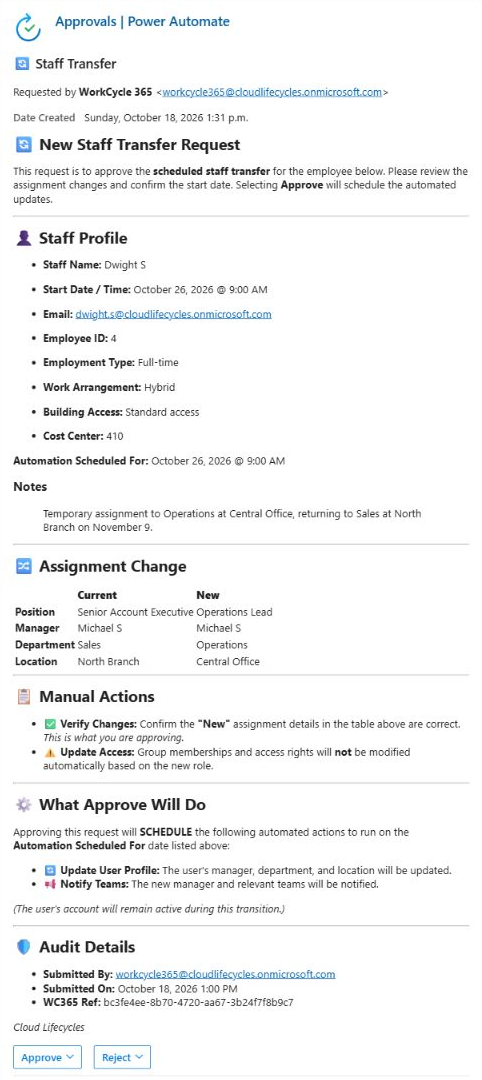
| Transfer | Allows the manager or organizational change at the request’s effective time. Transfer processing also enables the account; check this consequence before approving. |
| Leave | Allows access removal at the Leave’s effective time. An optional linked Return needs its own approval. |
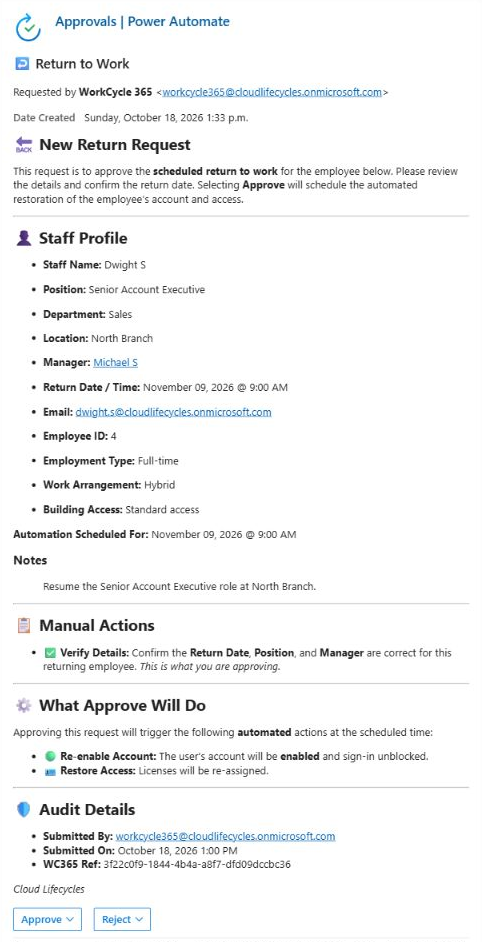
| Return | Allows return re-enablement at the Return’s effective time, including when the request was generated from a Leave. |
| Extension | No approval is required. Extension processes immediately and has a separate repeated-submission procedure. |
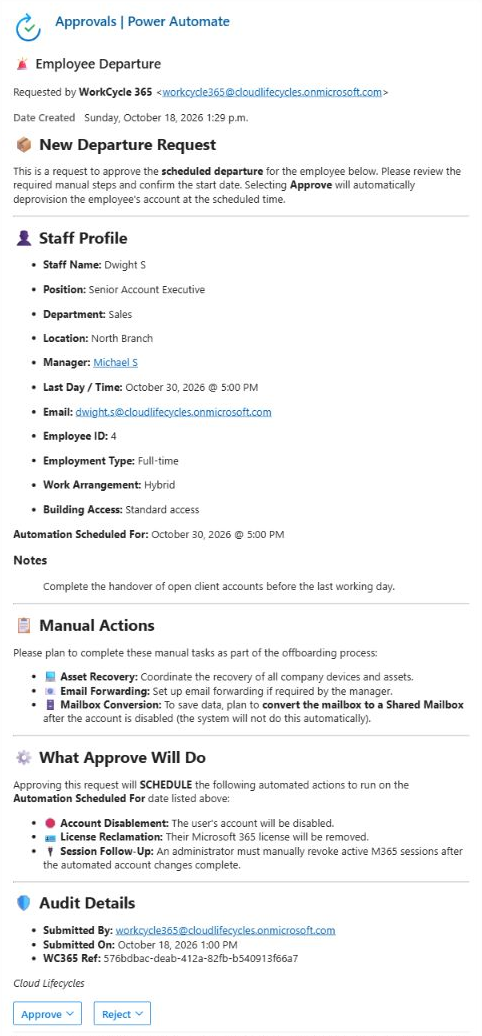
| Departure, Resignation or Contract End | Authorizes planned access removal at the recorded cutoff. The approval is issued either on submission or when the scheduled request is prepared. |
| Immediate Access Removal | Allows urgent account disablement after approval. A delayed decision delays the automated action. An authorized administrator must separately revoke active Microsoft 365 sessions. |
WorkCycle365 requires an approved decision before the protected action. After approval, future-dated work waits for its effective time.
Entering an end date on Hire or Transfer, or a Return Date on Leave, creates a separate follow-up request. Approval of the original does not approve the follow-up. Review the follow-up’s own person, destination details, time and approval when it arrives. See the lifecycle guides.
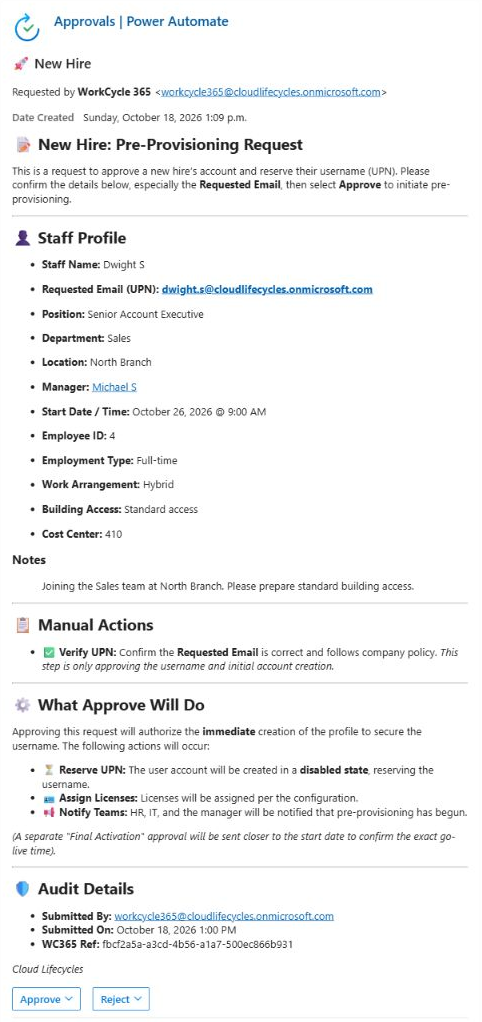
Initial Hire approval
Section titled “Initial Hire approval”Review the requested sign-in identity before authorizing account preparation. This is the first Hire decision; activation has a separate approval.
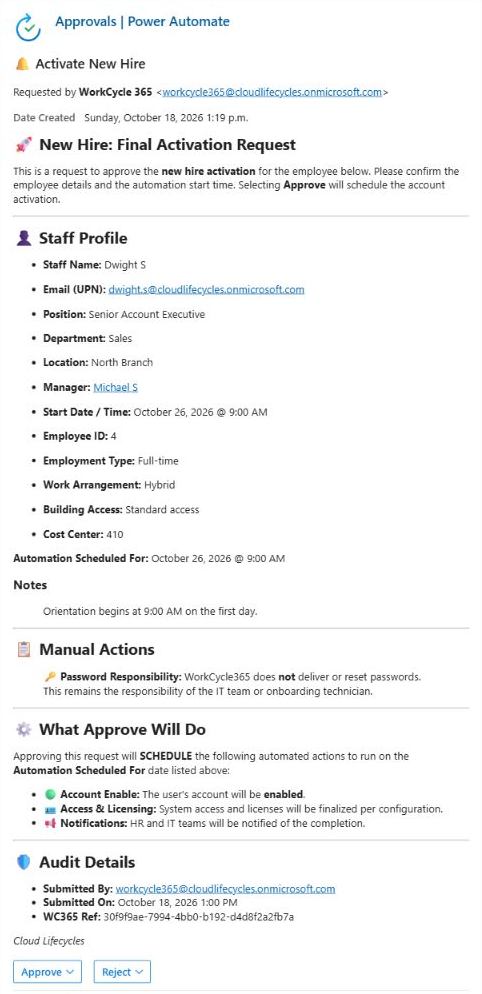
Final Hire activation approval
Section titled “Final Hire activation approval”Check the employee and Automation Scheduled For time before approving activation. Password delivery remains an IT responsibility.
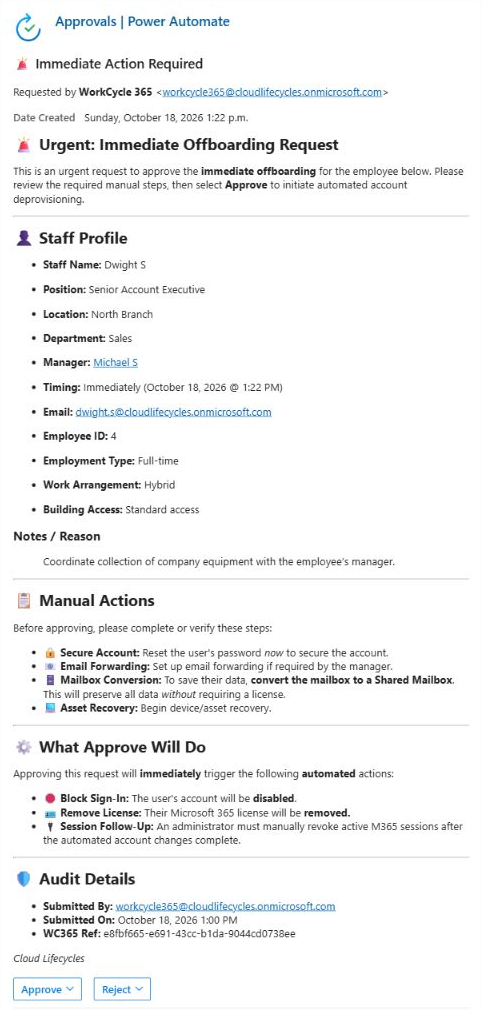
Immediate Access Removal approval
Section titled “Immediate Access Removal approval”Review the urgent removal and required manual actions before responding. An authorized administrator must separately revoke active Microsoft 365 sessions.
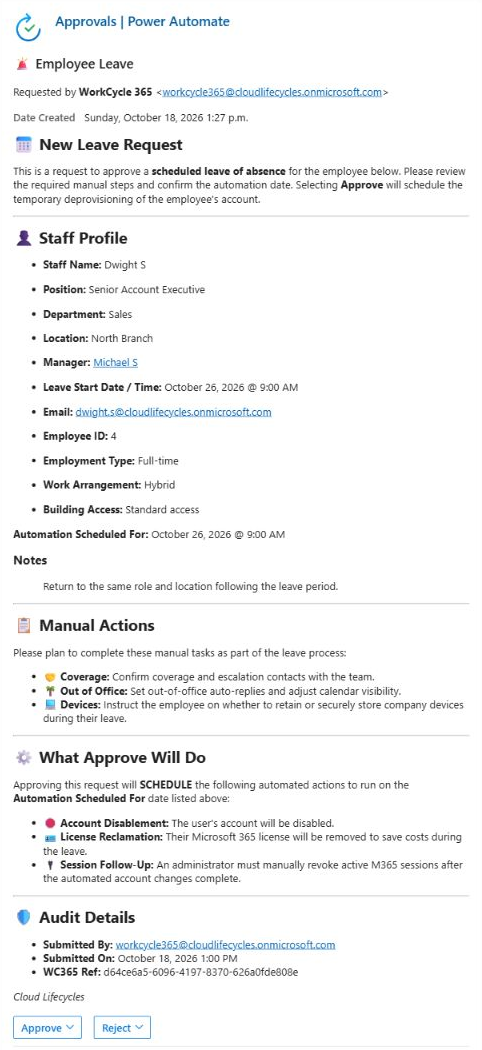
Leave approval
Section titled “Leave approval”Check the Leave start and access-removal time, and arrange the manual Leave tasks. A linked Return has its own approval.
Scheduled Departure approval
Section titled “Scheduled Departure approval”Review the employee, recorded cutoff and manual offboarding tasks before approving the scheduled removal.
Transfer approval
Section titled “Transfer approval”Compare the Current and New assignment details and check the effective time. Arrange any role-specific access changes with IT.
Return approval
Section titled “Return approval”Check the returning employee, role, manager and scheduled time before authorizing re-enablement.
Previous: Review before responding · Overview · Next: If the request changes or is cancelled